Compressing image to WebP - and how images actually work
I built a small tool that takes any image, shrinks it, and converts it to WebP - usually 25–80% smaller with no visible loss. Here's how it works, plus a from-scratch primer on what an image really is, so the whole pipeline makes sense.
The issue
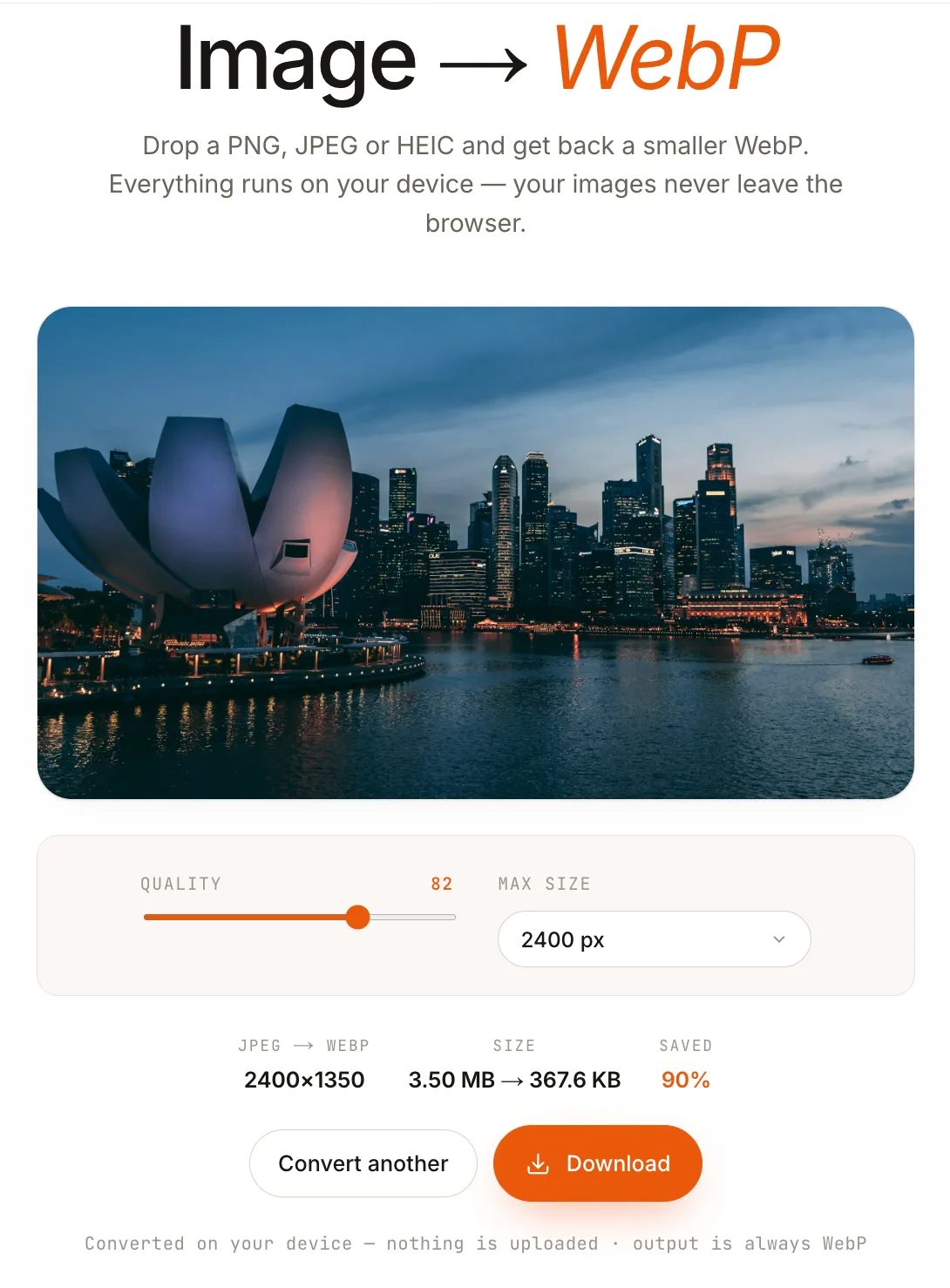 Try the live demo
 The tool is boring by design: drop in a JPEG, PNG, or HEIC and it hands back a WebP that's a fraction of the size with no difference your eye can catch. Sample source code lives on GitHub. But to understand why that's even possible - and why one of those formats needs a completely different code path - you have to start with what an image actually is underneath the file.
An image is just a grid of numbers
Zoom in far enough and every image dissolves into a grid of pixels, and every pixel is a few numbers. A normal colour photo stores three channels - red, green, blue - at 8 bits each. Eight bits hold a value from 0 to 255, so each channel has 256 levels of intensity, and three of them together describe one colour. Many images carry a fourth channel, alpha, which stores transparency - 0 is fully see-through, 255 fully opaque - and it's the channel that lets a logo sit cleanly on any background.
That's 24 bits per pixel, or 32 if you add an alpha channel for transparency. The maths is unforgiving: a 4000×3000 photo is 12 million pixels, which is roughly 36 MB of raw, uncompressed data. Nobody ships 36 MB. That single fact is the entire reason image formats exist - they are all just clever ways to store that grid in far fewer bytes.
Two families: lossless and lossy
There are two ways to spend that budget. Lossless compression (PNG, WebP-lossless) rebuilds the original pixels exactly - perfect for logos, screenshots, and anything with sharp edges or text, but bulky for photographs. Lossy compression (JPEG, WebP-lossy) throws away information your eyes barely register and keeps the file tiny. The whole game is choosing what to discard.
So what does a lossy encoder actually throw away? Two kinds of detail, both chosen because your eyes barely register them: colour, and fine texture. Here's each in turn - and why dropping it is nearly free.
Store colour coarsely
Your eyes notice brightness far more than colour, so lossy formats keep the brightness of every pixel but store colour just once for each 2×2 block - four pixels share one colour. That drops three-quarters of the colour data, shrinks the file, and you can't tell. (That's all '4:2:0' means.)
Keep the big shapes, drop fine detail
JPEG cuts the image into 8×8 tiles and rewrites each one as a mix of patterns - from a flat tone, through smooth gradients, up to fine, busy texture. That rewrite is the discrete cosine transform (DCT), and it loses nothing: the same tile, just described as patterns instead of raw pixels.
The win: most tiles are mostly smooth, so the fine-texture parts are already near zero. Compression rounds those tiny values down to zero, which costs almost nothing to store.
You don't implement any of this yourself. When the code later calls canvas.toBlob(…, "image/webp", quality), the browser's WebP encoder does the chroma subsampling and the pattern-rounding for you - the quality number is just how hard it rounds. Knowing what's happening underneath is what makes that one knob make sense; the rest of this piece is about feeding the encoder clean pixels.
Why WebP is the default
WebP, Google's format, is the modern upgrade. It does both lossy and lossless, supports transparency and animation, and typically lands 25–35% smaller than an equivalent-quality JPEG - and far smaller than PNG for photos. Smaller files, alpha support, and near-universal browser support are why I convert everything to it by default.
The pipeline, end to end
No matter the format, every conversion runs the same four stages. Only the very first one - the decoder - ever changes.
1 · Decode - turn the file's compressed bytes back into a raw grid of pixels. This is the only format-specific step: JPEG and PNG decode in the browser; HEIC needs a little help (more on that below).
2 · Resize - scale the longest side down to a sensible maximum. A 6000px-wide image on a 1200px layout is pure waste, and you never upscale, because that only adds bytes, not detail.
3 · Encode - re-encode the pixels to WebP at a quality around 78–82, the sweet spot on the size-versus-quality curve, applying the colour transform and chroma subsampling from earlier.
4 · Keep smaller - compare the WebP to the original and ship whichever is fewer bytes, so an already-tiny source is never made larger.
The code - in the browser
For JPG, JPEG, and PNG the browser already ships a decoder and a WebP encoder, so the whole thing fits in a <canvas> with no dependencies. (JPG and JPEG are the same format - image/jpeg - the two extensions are just historical; old DOS/Windows capped extensions at three letters.)
// Any browser-decodable image (JPG/JPEG/PNG/WebP) -> WebP, via <canvas>.
export type ConvertOptions = {
  quality?: number;      // 0-1 lossy quality, default 0.82
  maxDimension?: number; // cap on the longest side in px, default 2400
};

export async function convertToWebP(
  file: File,
  { quality = 0.82, maxDimension = 2400 }: ConvertOptions = {},
): Promise<File> {
  // 1 - DECODE. createImageBitmap parses the file; "from-image"
  // bakes in EXIF rotation so phone photos don't come out sideways.
  const bitmap = await createImageBitmap(file, {
    imageOrientation: "from-image",
  });

  // 2 - RESIZE. Scale the longest side down to maxDimension; never
  // upscale (Math.min(1, ...)) - that only adds bytes, not detail.
  const scale = Math.min(1, maxDimension / Math.max(bitmap.width, bitmap.height));
  const w = Math.round(bitmap.width * scale);
  const h = Math.round(bitmap.height * scale);

  const canvas = document.createElement("canvas");
  canvas.width = w;
  canvas.height = h;

  // alpha: true preserves PNG transparency. Drop it and transparent
  // pixels become black boxes.
  const ctx = canvas.getContext("2d", { alpha: true })!;
  ctx.imageSmoothingEnabled = true;
  ctx.imageSmoothingQuality = "high";
  ctx.drawImage(bitmap, 0, 0, w, h);
  bitmap.close(); // free the decoded pixels early

  // 3 - ENCODE to WebP. The browser does the lossy work here:
  // colour-space transform, chroma subsampling, the lot.
  const webp = await new Promise<Blob>((resolve, reject) => {
    canvas.toBlob(
      (b) => (b ? resolve(b) : reject(new Error("WebP encode failed"))),
      "image/webp",
      quality,
    );
  });

  // 4 - KEEP THE SMALLER FILE. A tiny PNG/JPEG can beat WebP; if so,
  // ship the original bytes untouched.
  const useWebp = webp.size < file.size;
  const smaller = useWebp ? webp : file;
  const ext = useWebp ? "webp" : file.name.split(".").pop() ?? "img";
  // Matches the trailing ".ext" (a dot + non-dots at the end) and swaps in
  // the new one. (A name with no extension simply stays as-is.)
  const extension = /\.[^.]+$/;
  const name = file.name.replace(extension, `.${ext}`);
  return new File([smaller], name, { type: smaller.type });
}
The four comments map one-to-one onto the pipeline diagram above. Two details earn their keep: imageOrientation: "from-image" fixes sideways phone photos before you measure dimensions, and alpha: true is the difference between clean transparency and black rectangles where your logo used to be.
HEIC is the one that doesn't just work
Everything above assumes the browser can decode the file. For HEIC - what an iPhone saves by default - it usually can't: createImageBitmap throws on it in Chrome and Firefox.
The reason is the codec inside a .heic file: HEVC, the same one used for 4K video. It's locked behind expensive patent licences, so Google never shipped an HEVC decoder in Chrome and Firefox followed. Safari handles HEIC only because Apple already licenses HEVC across its OS. So you can't lean on the browser - you have to bring your own decoder.
That decoder is libheif, compiled to WebAssembly as libheif-js. It runs the HEVC decode in WASM, hands you back raw RGBA pixels, and from there you're back on the happy path: draw to a canvas, encode WebP, done. It's heavier than the native decoders (a few hundred KB of WASM), so load it lazily - only when a file is actually HEIC.
import libheif from "libheif-js/wasm-bundle";

// Detect by content, not just extension: both HEIC and HEIF live in the
// same ISO box container, identifiable by the "ftyp" brand near the start.
export function isHeif(file: File): boolean {
  return /\.(heic|heif)$/i.test(file.name) ||
    file.type === "image/heic" ||
    file.type === "image/heif";
}

// HEIC/HEIF -> ImageData (raw RGBA), ready to draw onto a canvas.
export async function decodeHeif(file: File): Promise<ImageData> {
  const buffer = await file.arrayBuffer();
  const decoder = new libheif.HeifDecoder();

  // A HEIF container can hold several images (e.g. burst frames); the
  // primary image is the first one.
  const images = decoder.decode(new Uint8Array(buffer));
  if (!images.length) throw new Error("No image found in HEIF container");
  const image = images[0];

  const width = image.get_width();
  const height = image.get_height();
  const out = new ImageData(width, height);

  // libheif fills our RGBA buffer directly.
  await new Promise<void>((resolve, reject) => {
    image.display(out, (result: ImageData | null) => {
      result ? resolve() : reject(new Error("HEIF decode failed"));
    });
  });

  return out;
}
One snag with the copy-paste: libheif-js ships no TypeScript types for its wasm-bundle entry, so a strict project flags the import. Add a one-line declare module "libheif-js/wasm-bundle"; and it builds.
Now fold it into the main converter. The only change is the decode step: branch on file type, use libheif for HEIC/HEIF and the native createImageBitmap for everything else. Steps 2–4 - resize, encode, keep-smaller - are identical, because once you have pixels the source format no longer matters.
async function decodeToCanvas(file: File): Promise<HTMLCanvasElement> {
  const canvas = document.createElement("canvas");

  if (isHeif(file)) {
    // HEIC/HEIF: decode via WASM, then paint the RGBA onto the canvas.
    const data = await decodeHeif(file);          // libheif-js
    canvas.width = data.width;
    canvas.height = data.height;
    canvas.getContext("2d")!.putImageData(data, 0, 0);
  } else {
    // JPG/JPEG/PNG/WebP: the browser's own decoder, EXIF-aware.
    const bitmap = await createImageBitmap(file, {
      imageOrientation: "from-image",
    });
    canvas.width = bitmap.width;
    canvas.height = bitmap.height;
    canvas.getContext("2d", { alpha: true })!.drawImage(bitmap, 0, 0);
    bitmap.close();
  }

  return canvas; // -> resize -> canvas.toBlob("image/webp", q) -> keep smaller
}
Safari is the mirror image
The pipeline so far leans on two browser capabilities: createImageBitmap to decode, and canvas.toBlob(…, "image/webp") to encode. HEIC exposed the first asymmetry - Chrome and Firefox can't decode it. The second one is its exact mirror, and it hides on the encode side: Safari can't encode WebP through a canvas at all. Chrome and Firefox can encode WebP but not decode HEIC; Safari decodes HEIC natively but can't encode WebP. Each browser is missing precisely the half the other one has.
And Safari fails silently, which is the dangerous part. The HTML spec says that when a browser can't encode the type you asked toBlob for, it falls back to PNG rather than erroring. So you request a WebP, Safari hands back a lossless PNG wearing a .webp name, and the quality argument is ignored completely. The result: a 2.3 MB photo comes out as a 5 MB "WebP." The tool built to shrink images was quietly doubling them - and only in Safari.
The fix is the same move HEIC taught us: when the native path can't do the job, bring your own codec in WASM. For encoding that's @jsquash/webp, the WebP encoder lifted from Squoosh. The only new trick is detecting the fallback - you inspect the blob's type, and if it isn't image/webp the browser bailed, so you pull the raw pixels and encode them yourself.
// Native WebP encode. Resolves to null when the browser can't do it
// (Safari) - either no blob at all, or a non-WebP fallback (the PNG).
function encodeNative(canvas: HTMLCanvasElement, quality: number) {
  return new Promise<Blob | null>((resolve) => {
    canvas.toBlob(
      (b) => resolve(b && b.type === "image/webp" ? b : null),
      "image/webp",
      quality,
    );
  });
}

// Lazy: the ~300 KB WebP WASM is imported only when the native
// path fails - never on Chrome/Firefox, never on page load.
let wasmEncoder: Promise<typeof import("@jsquash/webp/encode").default> | undefined;
const loadWasmEncoder = () =>
  (wasmEncoder ??= import("@jsquash/webp/encode").then((m) => m.default));

export async function encodeToWebP(
  canvas: HTMLCanvasElement,
  quality: number, // 0-1
): Promise<Blob> {
  // Fast path: Chrome and Firefox encode WebP natively.
  const native = await encodeNative(canvas, quality);
  if (native) return native;

  // Fallback path: Safari. Read the raw RGBA pixels off the canvas
  // and encode them in WASM. quality is 0-1 here, 0-100 there.
  const ctx = canvas.getContext("2d", { alpha: true })!;
  const pixels = ctx.getImageData(0, 0, canvas.width, canvas.height);
  const encode = await loadWasmEncoder();
  const buffer = await encode(pixels, { quality: Math.round(quality * 100) });
  return new Blob([buffer], { type: "image/webp" });
}
Now apply the exact same shape to the decode step, and the whole design clicks into symmetry: try the browser first, fall back to WASM only when it throws. Safari decodes HEIC natively, so createImageBitmap succeeds and libheif is never even fetched; Chrome throws, so it is. This replaces the branch-on-file-type decoder from earlier - try-native-first is strictly better, because it lets the browser handle anything it can.
async function decodeToCanvas(file: File): Promise<HTMLCanvasElement> {
  const canvas = document.createElement("canvas");

  // Try the browser's own decoder first. For HEIC this succeeds on
  // Safari (Apple licenses HEVC) and throws on Chrome/Firefox.
  try {
    const bitmap = await createImageBitmap(file, {
      imageOrientation: "from-image",
    });
    canvas.width = bitmap.width;
    canvas.height = bitmap.height;
    canvas.getContext("2d", { alpha: true })!.drawImage(bitmap, 0, 0);
    bitmap.close();
    return canvas;
  } catch {
    if (!isHeif(file)) throw new Error("Unsupported or corrupt image");
  }

  // Fallback: HEIC on a browser with no HEVC decoder. Bring libheif.
  const data = await decodeHeif(file);            // libheif-js, lazy
  canvas.width = data.width;
  canvas.height = data.height;
  canvas.getContext("2d")!.putImageData(data, 0, 0);
  return canvas;
}
The payoff is that every browser downloads only the one codec it's actually missing. Chrome and Firefox pull libheif for HEIC and use their built-in WebP encoder; Safari pulls the WebP WASM and uses its built-in HEIC decoder. Nobody ships both, each loads lazily on first need, and neither sits in the initial bundle - the asymmetry between browsers turns into half the WASM for each of them.